UNLOCK TRICKS
Headlines News :

Support Us

Blogroll

Contact Form

Name

Email *

Message *

Followers

Labels

Pages

Facebook

Latest Post

How To Check Whethere Your Anti-virus Is Working Or Not?

Written By Unknown on Monday, July 1, 2013 | Monday, July 01, 2013


Follow The Steps Below...

1. Open Notepad.
2. Copy the code below into Notepad file:

  X5O! P% @ AP [4 \ PZX54 (P ^) 7CC) 7} $ EICAR-STANDARD-ANTIVIRUS-TEST-FILE! $ H + H * X5O! P% @ AP [4 \ PZX54 (P ^) 7CC) 7}  


3. Save extension an.exe testvirus.exe Once you save the file, and anti-virus software detects a file (virus) immediately and try to eliminate it. If this happens then your antivirus is working correctly. If not, then it's time to find a program that you can rely on... Please Subscribe And Like us on Facebook....!!

How To Clean Your RAM Using NotePad?


Steps to Clean Your RAM Using Notepad:


Step1: Open Notepad

Step2: Type in notepad

FreeMem=Space(10240000000)


Step3: Save it as "CLEANER.VBS” in any location you like.

Step 4: You can edit the code and write 512 instead of 1024 if you own a 512mb RAM or change to anything you like.

Step 5: Run it !

After this final step your RAM will be free... :)
Share And Like us On facebook!!!

How To check whether the pen drive is branded or china?

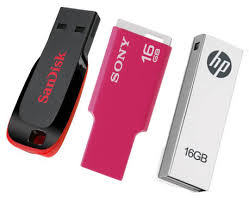
Hey Guys Now a days we can buy Flash drive at low price. We can buy 32GB flash drive for only 10 $. Mostly these are fake drives.  Now flash drives also manufactured as fake and its it's look like original one.  These type flash drives are mostly imported from China. They are using some small programs to show 4GB pen drive as 32GB.


So let's check your Pen-drive is original or fake
H2Testw software is one of the best software to check Pen-drive is original or not. Also you can check your Memory Card with this software.


download the software from--->----> Download 

Empty the files on pen drive before checking
Click on Target DeviceNow select your Removable device
Then Click Write+Verify button.
If your pen drive is original, a message will appear as "Test finished without errors"

I hope You Enjoyed This Tutorial So follow Me On Facebook

How to Lock your PC with Pen-Drive?

We can lock Laptops with Finger print reader, Eye Scanner, Face Recognition etc.. but what about the personal computers?


You can lock your personal computer with USB by using Predator. If you lock your PC with Predator, computer will work only when the USB in plugged in.
If you removed USB from computer , Mouse and Key board will get disabled automatically and screen will get dark. To unlock the computer, you should insert the USB again.


1-Now install the software.
2-Predator will launch automatically after the installation.
3-Now insert USB to the computer
4-you will get a message to set new password.
5-click on OK and set your New password
6-Then Choose the correct Drive letter from "USB Key Drive"


After this click on Create Key
Then Click on OK

Note : This process will not format your USB!

How TO Use Usb/PenDrive As RAM?

We use USB to transfer the data’s. The USB can be used asRAM. Let’s start with windows vista; those who use pc’s can use their USBdrives to increase the performances of their computer. This is called ReadyBoost.  Ready Boost deal with free spacethat is on your USB drives, such as RAM. When we increase RAM that’s equal to more speed.  Ready Boost comprise on all free versions ofwindows vista and windows 7. It’s easy to setup the positions and in fewminutes it can be finished.

  • Insert the USB drive in your computer.
  • Go to "My Computer" then right-click on the USB drive. 
  • Go to "Properties"
  • Next, click on the "ReadyBoost" tab.
  • Choose the option that says "Use this device".
  • Under "Space to reserve for system speed", select the amount of memory that you wish to use for your USB flash drive. The amount of memory that Windows recommends is usually the best setting and should not be exceeded.
  • Click on "OK" to save your settings and exit.
  • Restart your computer for the changes to take affect.

How To Convert 1GB,2GB Memory Card Or Pendrive into 4GB?


Hello guys How are you? Hope u r fine. 
Today I have a amusing and interesting Trick that ''How To Convert 1GB,2GB Memory Card Or Pendrive into 4GB?''

So i start the tutorial and if you find any problem feel free to comment below i'll try to help you.

Step By Step Guide....
 
Step1: Insert your memory stick in USB port
 
Step 2: Open the Drive increaser software folder (Click Here to Download)

See the Screenshot Below


Step 3: Rename the Pen drive or memory stick to your own.


Step 4: Open Drive Increaser 2 icon from the Downloaded folder.


Step 5: The opened file is asks USB drive Name. (Before enter the name first Rename the Memory stick or Pen drive). Just  enter the renamed pen drive name as u want.


Step 6: After that, it will ask USB pendrive letter (Ex: H or I or J). Repeat this two times.


Step 7: After Drive letter entry some process will be done with Red color like this image Below.


Step 8: Finally it shows Done Please enter any key to Close this.


Thats it you have done this successfully Now your memory card/Pen Drive is 4GB.


Note
Do not format the Pen drive.
Just delete the files from pen drive if format is required.

Hope you find this tutorial very easy and interesting so give me your Feed Back and follow me on Social Networks.

Team Win Recovery Project 2.5.0.0 - Kingdom


What is TWRP2?
TWRP2 is an open-source custom recovery, similar to CWM but with many more features. You can read more about it Here


Is it better then CWM?
You will need to decide for yourself, but it has many more features such as selective backup, selective recovery, a ton more options, themes, settings and a lot more.

What works in this version?
Everything should be working. I've spent a lot of time getting everything working on this phone and tested it extensively with multiple roms, please report any bugs you may find.

Do all roms work?
They need to be compatible with TWRP2, all this basically means is they need to have the jellybean update binary and a different line to install the kernel. Below I converted most of popular roms for this phone to be installable with TWRP2. Existing already installed roms, compatible or not can be restored and backed up as normal in twrp.

If you want any other rom for the phone to be compatible, or your own rom just send me a PM with the roms download link and I will upload it asap, or I will show you how. At the moment aroma roms (forgotten kingdom) will not install but you can backup and restore them etc. The creator of aroma says a fix is coming soon. Jellybean roms such as codefire by team osiris should already be compatible by default.

I will be adding a "how to make a rom compatible with TWRP2" in a little bit

How do I install this?
Just flash the zip in CWM! - You can also flash back to CWM from within TWRP from the download link below.

Converted roms - Jellybean based roms should already be installable - All previously installed roms can be backed up and restored. Let me know if you want a rom added - You only need these downloads to install the roms, not to use backup and restore using TWRP2.
xFuZiiOnZz-4.3.2 SenselessKingdom-1.2.4 Bluekingdom-1.1

Kernels (If you want to flash as an update)
FastKernelV5
Should be perfectly safe if used correctly, but still flash at your own risk

(If you see an error in the activity log that says cannot mount ____ simply ignore it. I accidentally have a flag for dual SD cards enabled - this won't cause any issues, its just the non existent sd card cannot be mounted. I will turn it off next build)


Download TWRP 2.5.0.0
CWM - Flashable inside TWRP
?max-results=10">Label 2'); document.write("?max-results="+numposts2+"&orderby=published&alt=json-in-script&callback=showrecentposts2\"><\/script>");
 
Support : Creating Website | Johny Template | Mas Template
Copyright © 2011. UNLOCK TRICKS - All Rights Reserved
Template Created by Creating Website Published by Mas Template
Proudly powered by Blogger